Keine Artikel
SFK-54
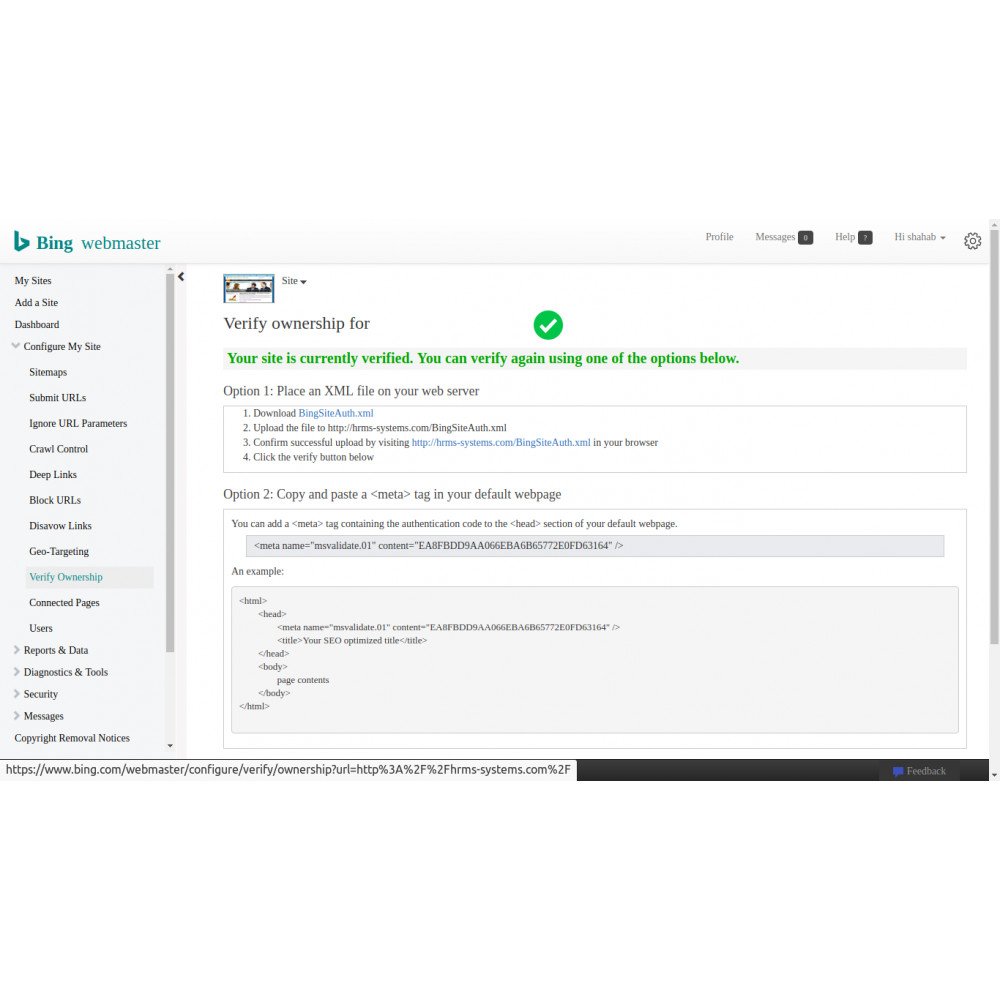
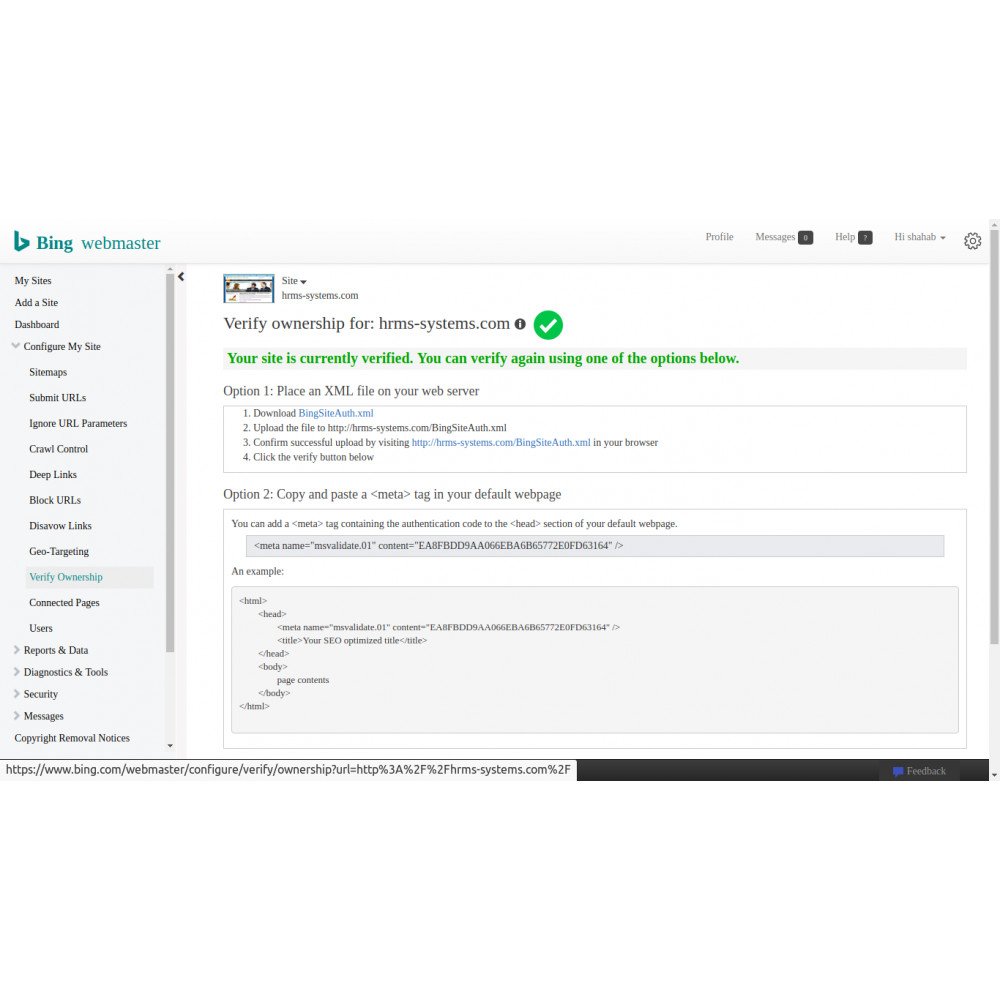
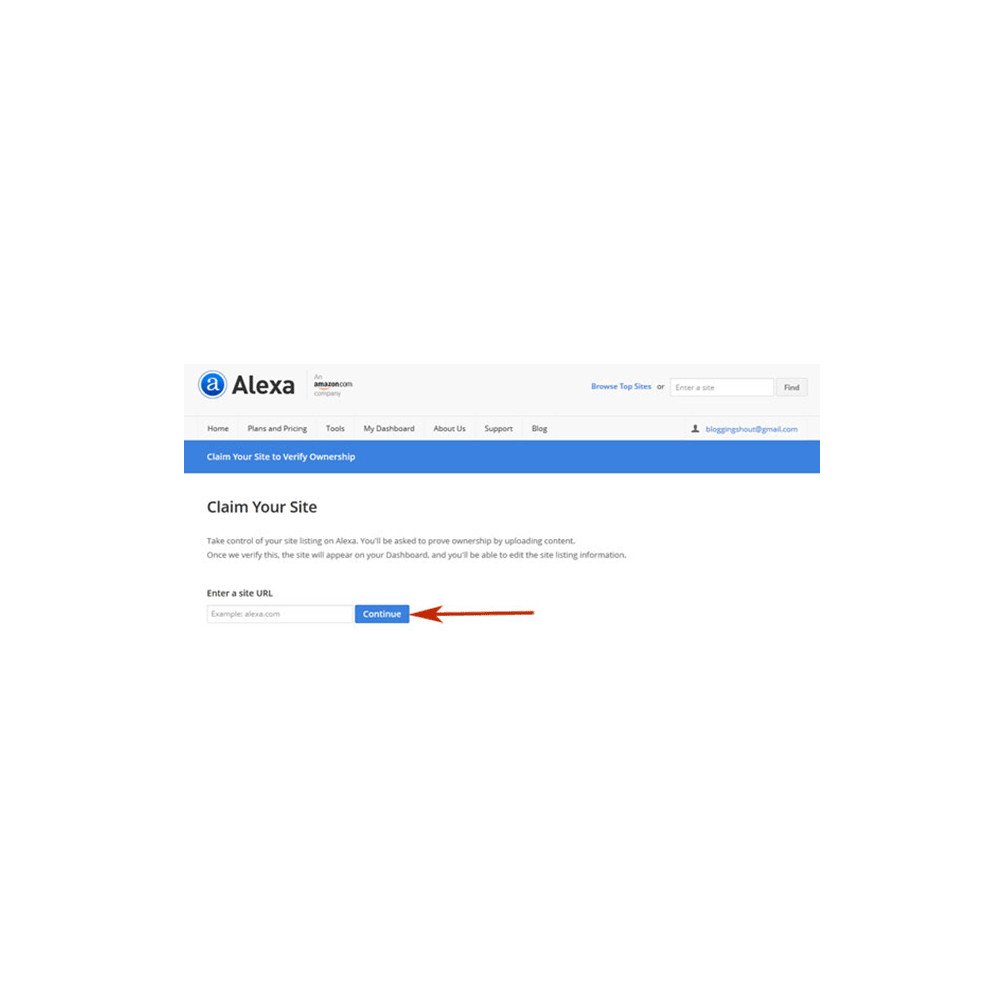
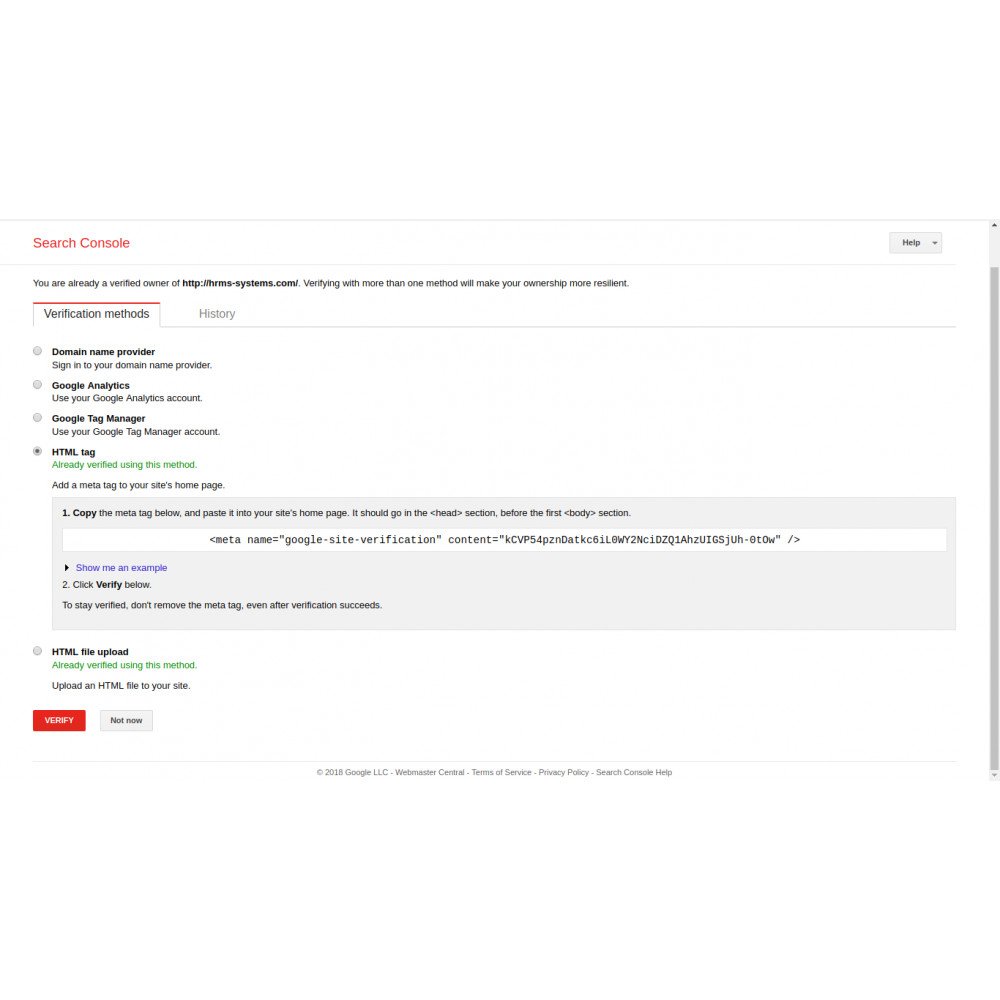
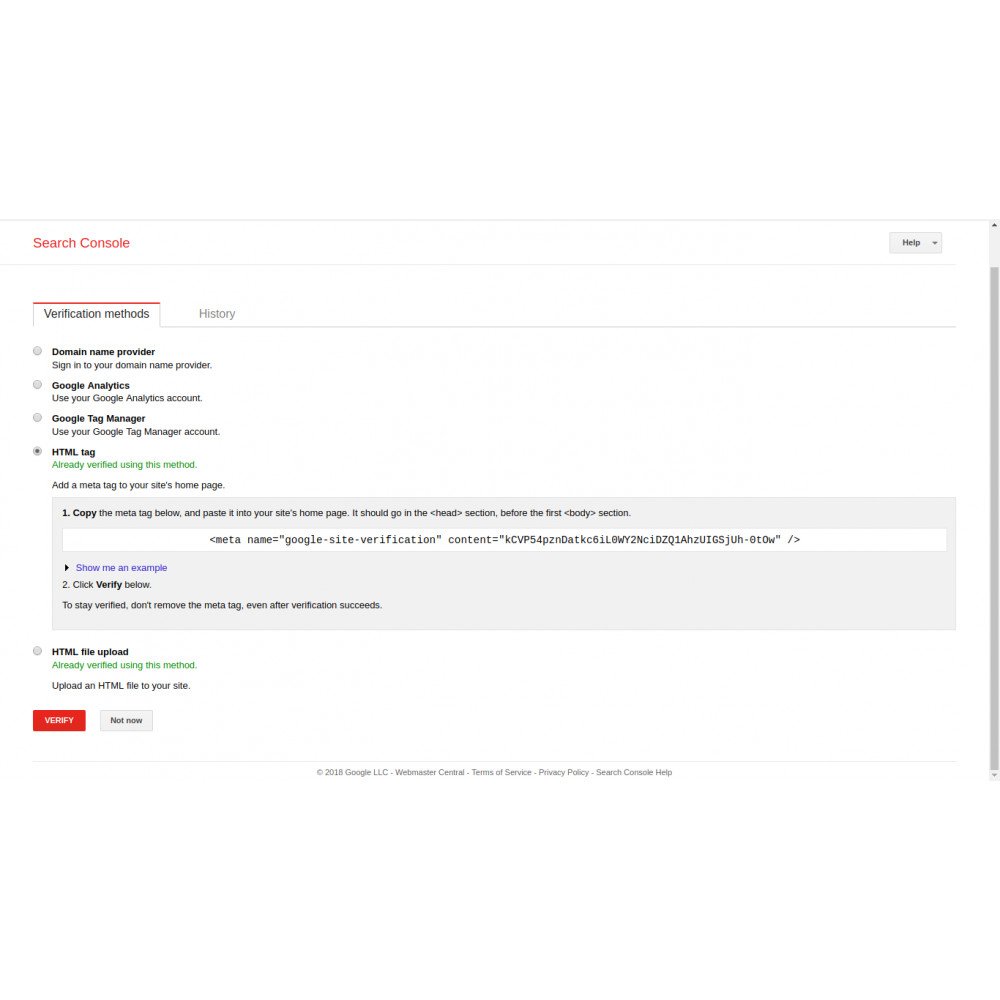
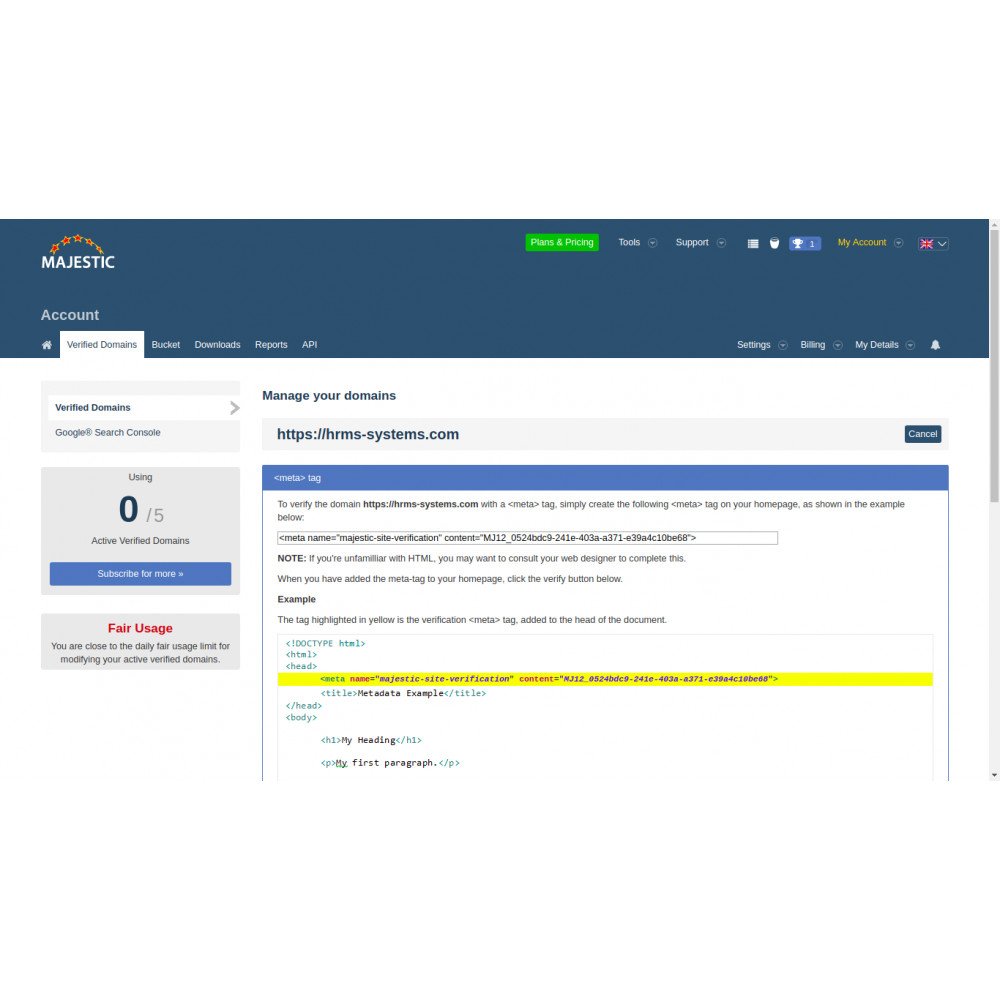
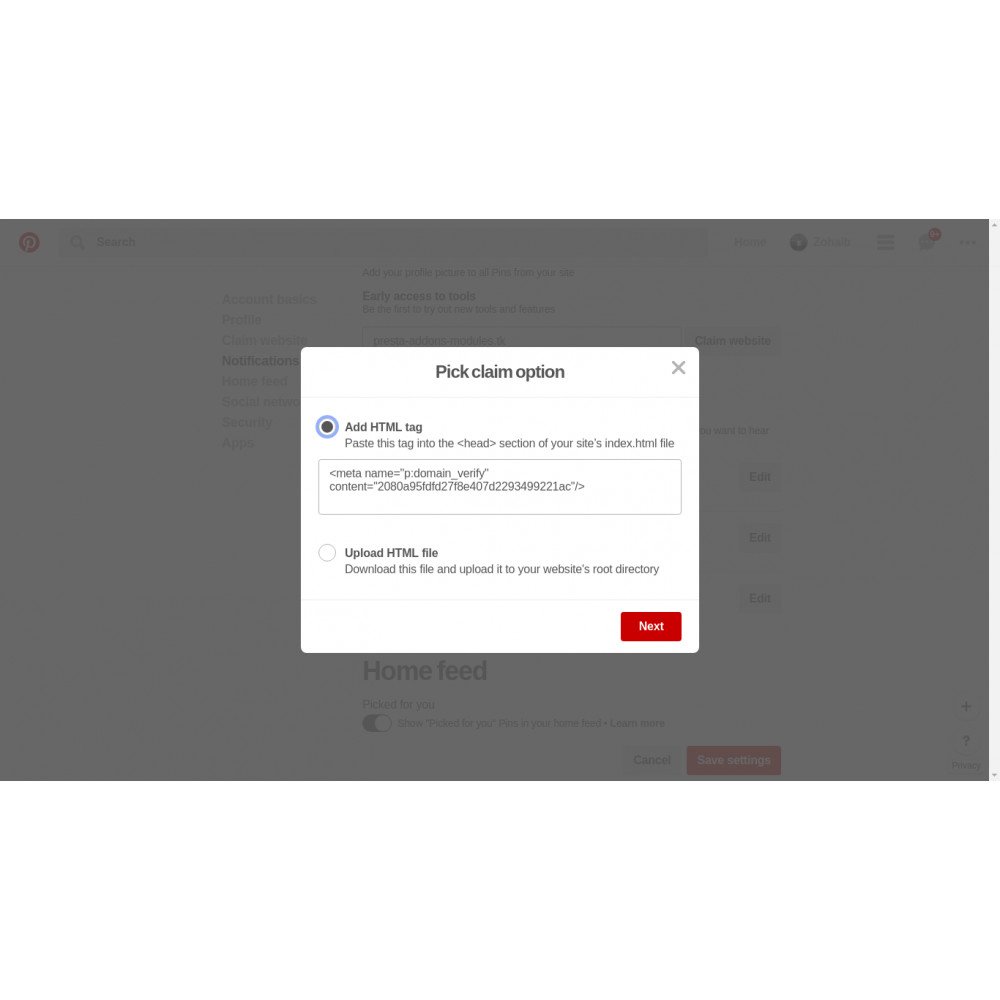
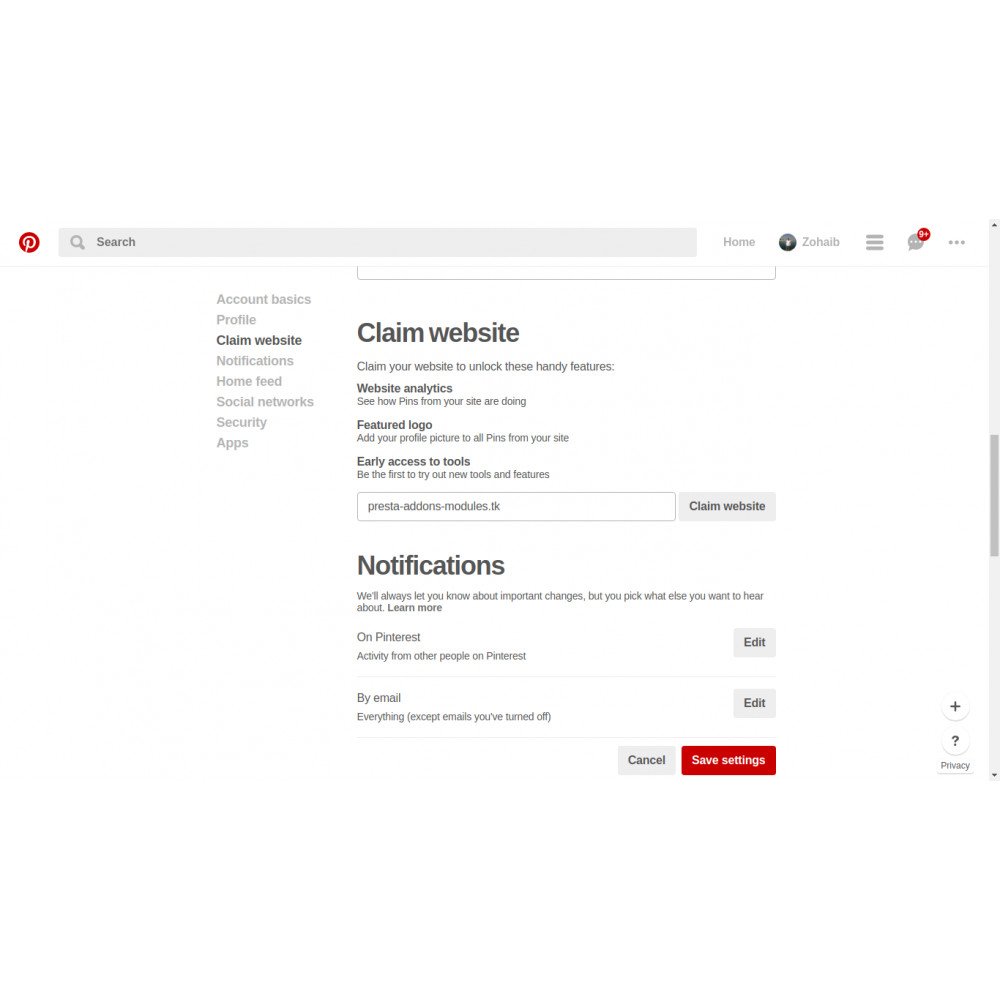
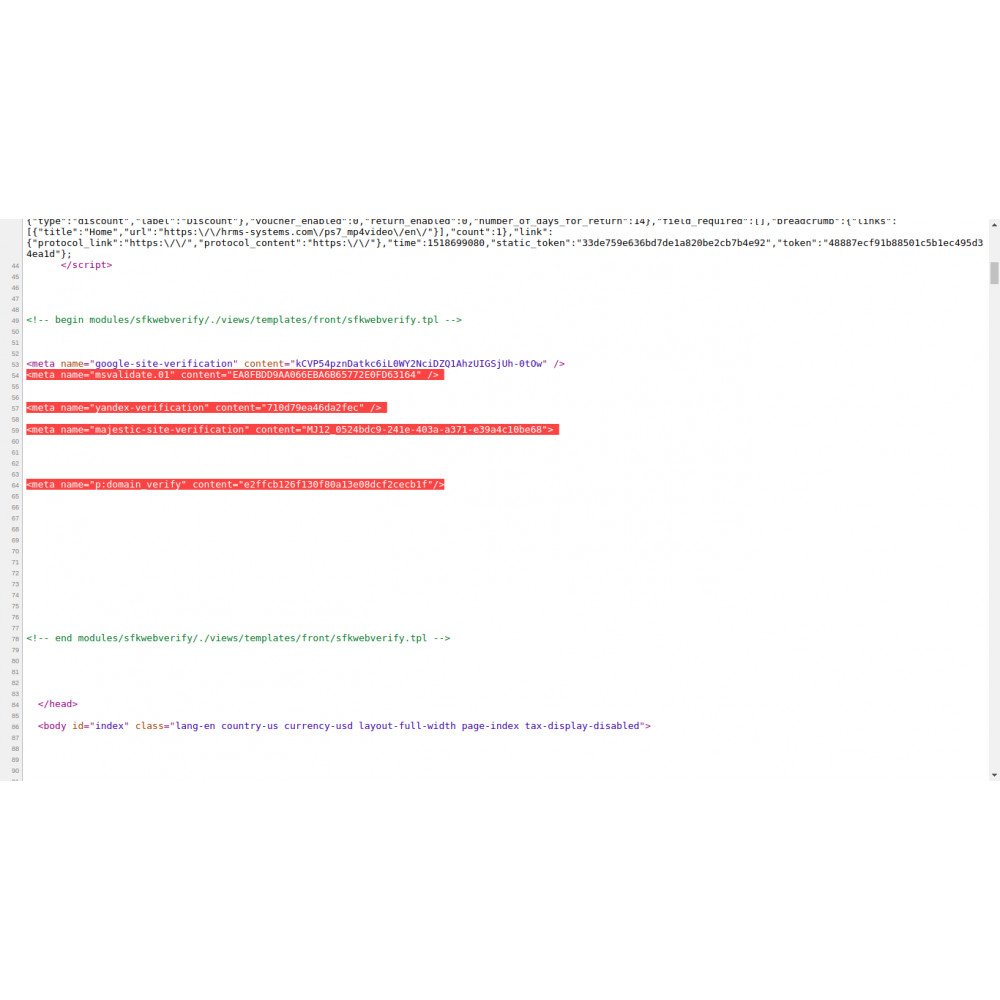
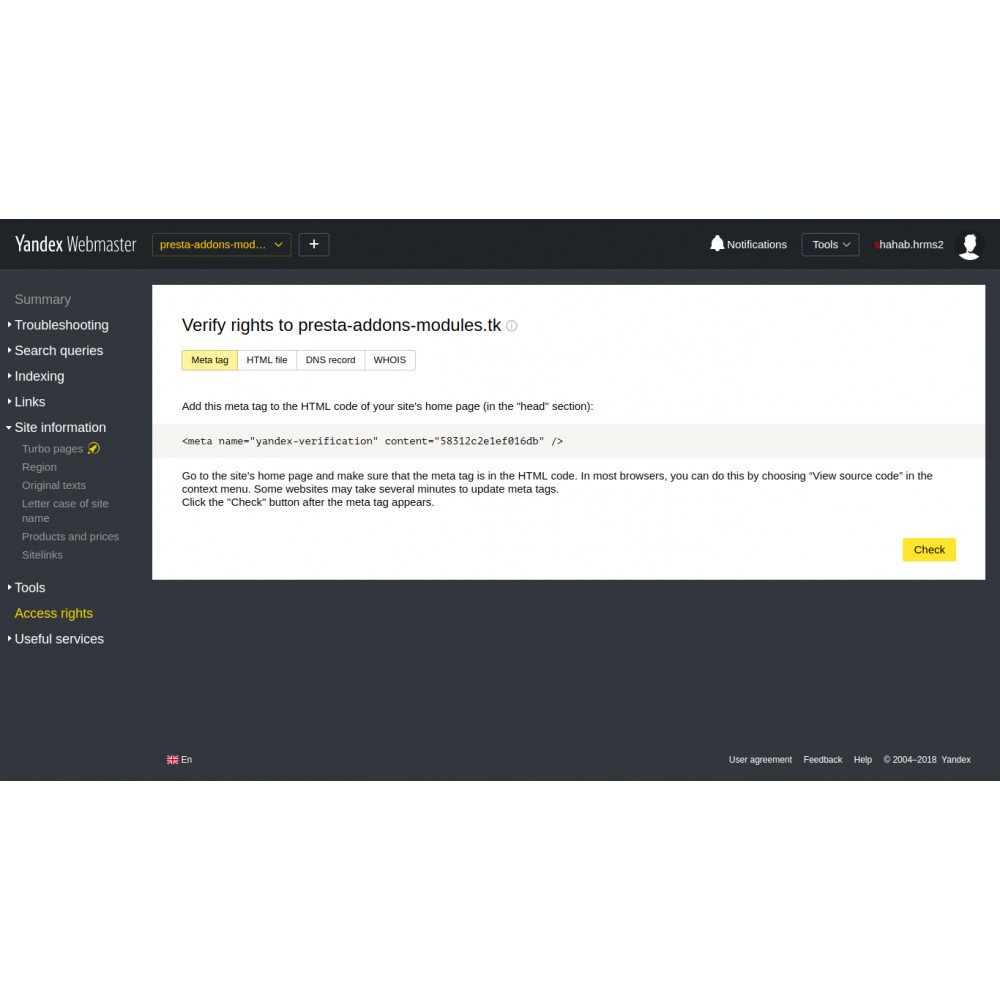
The PrestaShop addon helps in the verification of online stores with different search engines using meta tag verification like Google, Yahoo, Bing, Alexa, Yandex, Majestic SEO, Mywot, Global Sign, Norton SafeWeb, Flippa, Pinterest, and many more.
Verification is the process of proving that you own the site or app that you claim to own. Verification associates a specific user with a specific property.
1 Year Free Support.
For a demo on version 1.7. x 8. x.x, 9. x.x, visit the links below
Front-office Demo URL => https://www.hrms-systems.com/presta-addons/en/
Back-office Demo URL => https://www.hrms-systems.com/presta-addons/admin619j6kpbb/index.php
For a demo on version 1.6. x, visit the links below
Front-office Demo URL => https://www.hrms-systems.com/presta-apps/en/
Back-office Demo URL => https://www.hrms-systems.com/presta-apps/admin539fyipwq/index.php
PrestaShop Forum Link
PrestaShop Forum Link = https://www.prestashop.com/forums/topic/1071042-module-prestashop-back-office-login-geolocation-history-and-statistics-charts/
OUR PRESTASHOP ADDONS MARKETPLACE URL
PrestaShop Marketplace URL => https://addons.prestashop.com/en/2_community-developer?contributor=301729
LIKE & SUBSCRIBE TO OUR YOUTUBE CHANNEL.
Our YouTube Channel URL => https://www.youtube.com/channel/UCf3xPLKNIGTwj0Mxtln_CJg/videos






| Views: 231071 |
The PrestaShop addon helps in the verification of online stores with different search engines using meta tag verification such as Google, Yahoo, Bing, Alexa, Yandex, Majestic SEO, Mywot, GlobalSign, Norton SafeWeb, Flippa, Pinterest, and many more.
Verification is the process of proving that you own the site or app that you claim to own. Verification associates a specific user with a specific property.
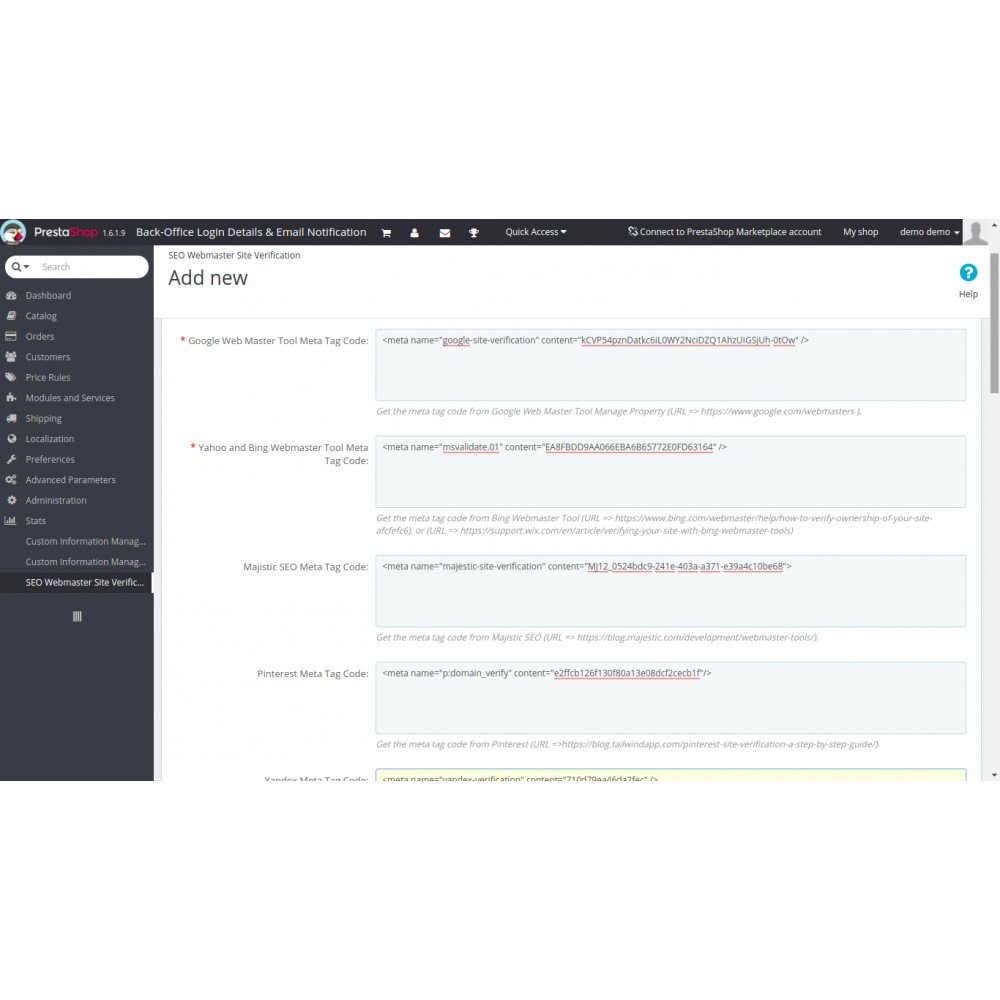
The module makes the verification process simple so that webmasters no longer need to edit theme templates or change DNS entries on domains from the web hosting Cpanel. Simply add the meta tag code from the webmaster tool to the module management page from the back office.
Features
- Helps in SEO (Search Engine Optimisation) and search engine ranking.
- Improves online visibility and gets targeted traffic.
- Easy to set up simply by adding a meta tag from the back office.
- SEO friendly.
- Flexibility and ease of use.
- Supports multiple browsers, operating systems, and platforms.
- Lightweight for on-page and fast loading.
- Easy interaction from the back office using the widget Code.
- Facility to show widgets on the left or right side of the selected products, categories, or other pages.
- Measure Web Traffic.
- Visitors Count.
- Track Bounce Rate.
- Identify Target Market.
- Know Your Visitor Behaviour.
- Know Your Traffic Source and Conversions.
- Easy to install and use. Quick Integration.
- Set your module position in the left column, right column, and home page.
- Multi-lingual title for the block and show on selected categories and languages.
- The timeline will render the specified number of Tweets from the timeline.
- Fully responsive (100%).
- Lightweight. (Smaller file size, which loads faster.)
- SEO friendly.
- Support all browsers: Firefox, Chrome, IE, Safari, etc.
- Lightweight. (Smaller file size, which loads faster.)
- Increase sales, conversion rates, and product promotions.
- Maintain existing customers & attract new customers.
- Lower marketing expenses, exposure to potential customers, and reach targeted audiences.
– Support multiple browsers and operating systems.
– Helps to find targeted audience visits and conversions in sales.
– Help in analysis, statistics, SEO, and marketing campaigns.
– An alternative option instead of using the analytics script from Google Analytics and Statcounter.
– SEO friendly.
– Supports all browsers: Firefox, Chrome, IE, Safari, etc.
– Lightweight. (Smaller file size, which loads faster.)
– Compatible with PrestaShop 1.5.x,1.6.x,1.7.x and 8.x.x,9.x.x
– Multiple browser compatibility(IE, Firefox, Opera, Safari, Chrome, and Edge).
– Mobile, Tablet, and all devices are compatible.
– Multi-language and Multi-Store compatible.
– 24*7 Support
– Good Documentation
Benefits to Customers
- Customers trust the online store and feel comfortable.
- Helps in support and communication in the customer's native language.
- Customer queries and clarifications get fast solutions.
- Helps to increase customer understanding and knowledge about the store.
Benefits to Merchants
- Reduce expenses
- Increase sales
- Improve customer service and loyalty
- Discover customer pain points
- Faster problem resolution
- Customer convenience
- Competitive advantages
- Expand market reach
- Proactive outreach
- Reports and analytics
- Real-Time Convenience to Customers
- Cost-efficient
- Stand out Amongst Competitors
- Develop Deeper Customer Relationships
- Increase in Conversions and Average Order Values
Installation :
Step 1: Upload the module zip file from the back-office Module & Services menu tab. Module Manager area using the upload button. After successful installation, the module menu link will appear in the left menu or the top menu in the back-office More area.
Step 2: Install the module using the install button.
Step 3: Visit the module management page from the back-office “More” area (section) in the left menu in the back office.
Step 4: The module installation process is very easy; how the module configuration works can be seen in the demo instance.
Step 5: Please visit our demo instance for a module configuration and usage demo.
Step 6: Please watch our YouTube channel for demo videos on the module and how to use and configure it on the website.
– The module works without making any changes in the existing PrestaShop files so that existing customisations and theme changes are not affected.
– We provide free technical and feature support in installation, configuration, and access to updates available for this product.
– Free support on installation, configuration, and customisation as per store requirements, for example, a new hook addition to your store.
Other :
Please leave your valuable feedback after using the module.
This will help to increase self-confidence, improve service, and enhance the module as per requirements to make it better for different online stores.
For a demo on version 1.7. x,8.x,9.x Visit the links below
Front-office Demo URL => https://www.hrms-systems.com/presta-addons/en/
Back-office Demo URL => https://www.hrms-systems.com/presta-addons/admin619j6kpbb/index.php
For a demo on version 1.6. x, visit the links below
Front-office Demo URL => https://www.hrms-systems.com/presta-apps/en/
Back-office Demo URL => https://www.hrms-systems.com/presta-apps/admin539fyipwq/index.php
OUR PRESTASHOP ADDONS MARKETPLACE URL
PrestaShop Marketplace URL => https://addons.prestashop.com/en/2_community-developer?contributor=301729
Alternate module download URL => https://www.presta-addons-modules.com
Product FAQs (Questions, Answers).

The prestashop addon helps to add automatic schema markup microdata JSON-LD integration about business details, operating hours, reviews, location, social pages, etc to show google rich snippets in search results and helps in SEO. Automatic Facebook open graph and Twitter card tags on all pages. Testing using online tools. Supports other ratings and...
The prestashop addon helps to implement search engine optimisation of your online store by adding automatic hreflang and canonical tags. Helps search engine bots to know your store supports and works in multiple languages for different countries. Fix issues in various webmaster tools. The hreflang tag (also referred to as rel=” alternate” hreflang=”x”)...
A friendly URL is a Web address that is easy to read and includes words that describe the content of the web page. This type of URL helps visitors remember the Web address and describes the page to search engines. A good structure can help the indexation process of your website.Keeping URLs as simple, relevant, compelling, and accurate as possible is key...
The PrestaShop addon allows adding CSS, HTML, JS, Tags, and JavaScript code inside the head tag on selected or all pages.It helps to integrate different software like online chats, Google Analytics, Statcounter,hotjar, Inspectlet, AdSense, and various other scripts. It helps to add different tags related to SEO, design, and different software integration...
The prestashop addon helps to add Open Graph and Twitter tags automatically on all pages of the website.The Open Graph protocol enables any web page to become a rich object in a social graph. To turn web pages into graph objects, you need to add metadata to your page. Fix issues in various webmaster tools. Testing using online tools. They make content...
The PrestaShop addon GTmetrix speed test API integration helps to do daily speed analysis of the website. It is to configure and helps to know PageSpeed Score, YSlow Score, Fully Loaded Time, Total Page Size, Requests,html_bytes,page_elements,report_url,html_load_time,page_bytes, and many more statistics information same as the Gtmetix website inside...
Google Indexing API allows websites to notify Google when they add, update or remove pages on their site in order to make Googlebot update its index. This way, Google schedules new crawls, keeping up to date with your content on SERPs, which improves your Website traffic. Below, we highlight some of the things you can do with the indexing API. Thanks to...
The PrestaShop Addons send automatic abandoned cart reminder emails to visitors or customers. Abandoned cart emails are sent to customers who have added products to their cart but failed to check out. It's remarkably effective as a sales recovery tactic. Abandoned cart emails are emails that are sent to re-engage shoppers who left items in their carts...
The PrestaShop Addons help to get statistics about different sales reports and data visualization like Sales By Currency, Sales By Category, Sales By Products, Monthly Sales Report, Yearly Sales Report, Sales By Country, Sales By Manufacturer, Sales By Suppliers, Sales Amount By Day, Sales Amount By Month A sales report, also known as a sales analysis...
The SEO service package includes many tasks related to the SEO of the website to help it rank well on all search engines.The package looks expensive, costing 500 euros for 6 months, but it is value for money.I can't share details because it is confidential. I will work daily for 6 months on the website and complete many tasks.Also, I will keep you updated...
We provide email verification services at an affordable price for an unlimited number of emails.The best way to reduce bounced emails is to verify the email addresses before you send them. Email verification helps to increase email delivery, and deliverable email addresses mean your organisation can communicate more effectively with its clients and...
Social Login – Sign-In using Social Networks. A social login is a kind of single sign-on where the user uses the existing login information of a social network like Facebook, Twitter, Google+, etc to log on to a website, instead of creating a new login account, especially for that website. Social login helps in a higher conversion rate for registrations...
The prestashop addons help to export products on Google Merchant Center to display them on Google Shopping, Google Search, Google Image, the Display network (YouTube, Gmail & more) and Google partner sites.Google Merchant Center works by allowing businesses to upload and manage their product data, which is then used to create product listings and ads...
The prestashop addons helps in notifying search engines or other services about updates to your website. When we ping a service, we are essentially sending a notification that new content or changes have been made and need to be indexed or processed. Pinging can help improve the visibility and indexing speed of your content.The process of pinging...
The opencart addon helps to add automatic schema markup microdata JSON-LD integration about business details, operating hours, reviews, location, social pages, etc to show Google rich snippets in search results and helps in SEO. Automatic Facebook open graph and Twitter card tags on all pages. Testing using online tools. Supports other ratings and related...
Calculating...